How to Create an Invoice That Actually Gets Paid on Time
If you want to create an invoice that clients pay without chasing, structure matters more than design. A clear invoice removes every excuse for delay.
What every invoice needs
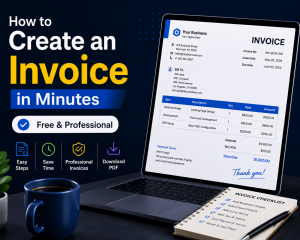
Start with the essentials: your business name and contact details, the client’s billing information, a unique invoice number, the issue date, and the payment due date. Then list each service or product on its own line with quantity, rate, and line total. Finish with the subtotal, applicable tax, and the final amount due.
Set payment terms clearly
Vague terms invite late payment. Instead of “due on receipt,” state a specific window such as Net 15 or Net 30, and name your accepted payment methods up front. Adding a short late-fee clause quietly encourages faster action.
Number and track everything
Sequential numbering (INV-2026-001) keeps your records audit-ready and makes follow-up simple. Save every invoice as a PDF so the formatting never shifts between devices.
Speed it up with a template
Rebuilding an invoice from scratch each month wastes billable hours. A reusable template or generator locks in your branding, calculates totals automatically, and reduces costly math errors.
Follow up without awkwardness
Send a polite reminder two days before the due date, then again on day one of overdue status. Most late payments are oversights, not refusals.
Ready for the full walkthrough, field-by-field examples, and downloadable formats?
Read the complete guide: How to Create an Invoice