Free AI Assistants in 2026: Which One Should You Actually Use?
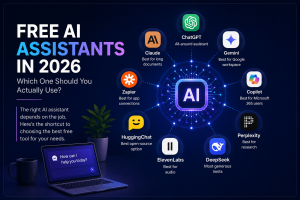
Here’s the thing most roundups get wrong: there is no single “best” free AI assistant. The right one depends entirely on the job in front of you. The good news is that in 2026 there are genuinely capable AI assistants free to use for almost every task — you just have to match the tool to the need. Here’s the shortcut.
If you want one flexible everyday assistant – ChatGPT. It’s the easiest starting point, strong across writing, brainstorming, and quick research, with the cleanest interface of the bunch.
If you write a lot or work with long documents – Claude. A big context window and generous uploads make it ideal for contracts, reports, and drafts — and its writing reads noticeably more natural.
If your work lives in Google – Gemini. It plugs into Gmail, Docs, and Drive, and its free tier is unusually strong on images, voice, and video.
If you’re a Microsoft 365 user – Copilot. A free web version that fits right in if you spend your day in Word, Excel, and Outlook.
If you need trustworthy research – Perplexity. It attaches citations to every answer, so you can verify claims instead of guessing.
If you want the most generous limits – DeepSeek. Roomy free access for coding and reasoning — just note its data is processed under Chinese jurisdiction.
If you need audio – ElevenLabs. Turns text into lifelike speech across dozens of languages, free every month.
If you need video – Runway. Prompt-to-video with real control over motion and style, perfect for creators.
If you want to connect your apps – Zapier. The glue that lets AI trigger actions across 1,500+ tools automatically.
If you prefer open-source – HuggingChat. Dozens of open-weight models in one place, often with no account required.
The honest trade-offs
Every free tier comes with two catches worth knowing. First, they cap how much you can use the best model and usually hand you the balanced version, not the frontier one. Second, most of them train on your conversations by default — so check your data settings before pasting anything confidential.
Free AI assistants are brilliant at thinking and creating, but they rarely act across your apps — no autonomous inbox triage, no multi-step workflows. When you hit that wall, the answer isn’t a more generous chatbot; it’s a different kind of tool.
Want the full breakdown, with real limits, context windows, and side-by-side comparisons? Read Pushable’s complete guide to free AI assistants in 2026. And when a chatbot stops being enough, you can build your own AI assistant on Pushable.ai — no coding needed.